

Version history
Faddy saves your form as you work and keeps the earlier versions. If a change goes wrong, or a teammate removes something you needed, go back to any version in a couple of clicks.
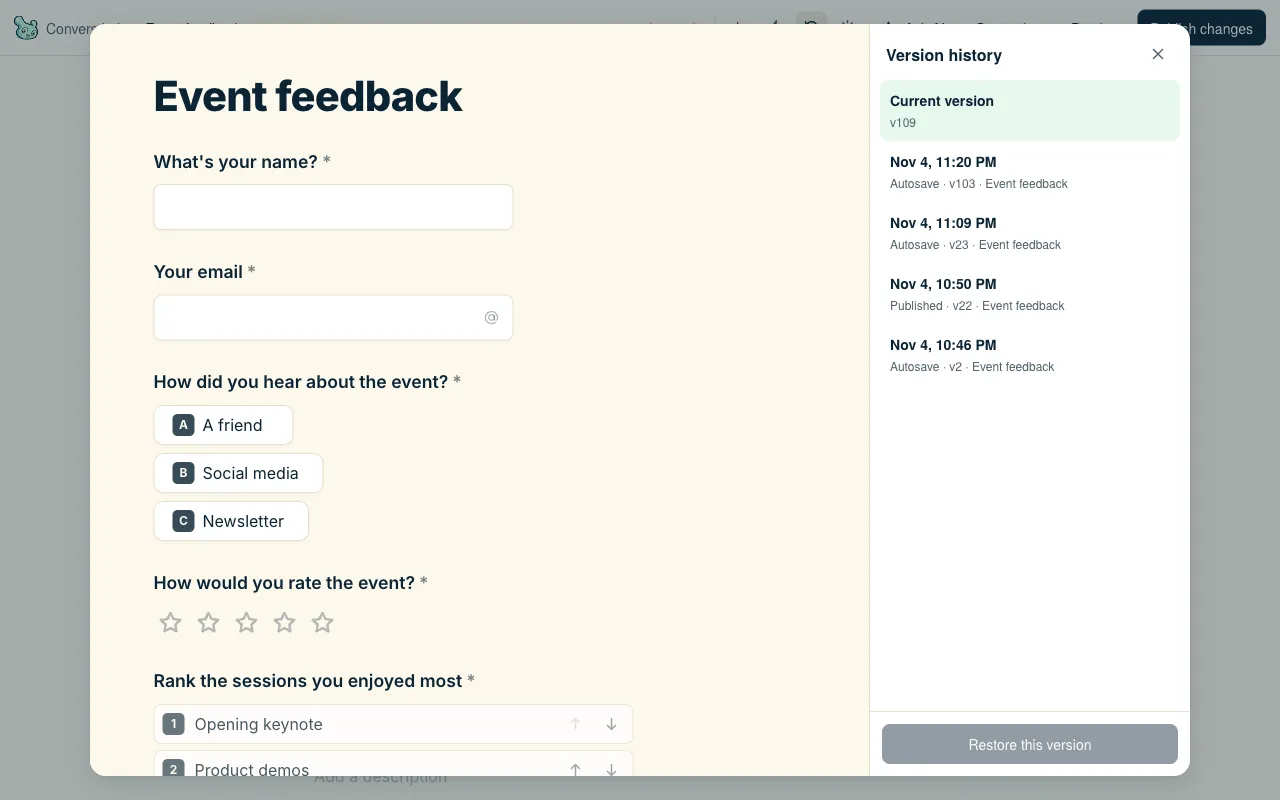
Restore a version
- In the editor, click the clock icon in the top bar.
- Pick a version from the list. Each one shows when it was saved, and whether it was an Autosave or a Published version.
- Check the form on the left; it shows exactly what that version looked like.
- Click Restore this version.
Restoring brings the old version back into the editor. Your live form doesn’t change until you publish.
For small slips, undo (⌘ Z) and redo (⌘ ⇧ Z) are quicker, from the arrows in the same bar.