

Hidden fields
Hidden fields carry data into your form through its link. Respondents don’t see them, but their values are saved with each response. Use them to record where someone came from, which campaign they clicked or an ID you already have.
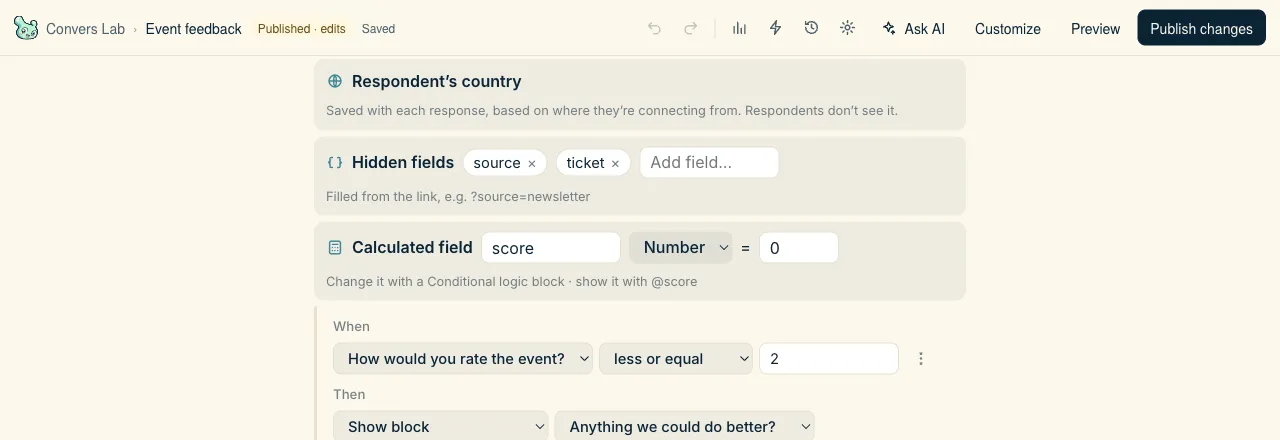
Add hidden fields
Type /hidden and press Enter. Faddy adds a field called source. Type a name in Add field… and press Enter to add more, and click × on a field to remove it.
Fill them from the link
Add each field to the end of your form’s link, with its value:
https://forms.faddy.app/r/your-form?source=newsletter&ticket=VIP-204Every response from that link saves source as newsletter and ticket as VIP-204. Use a different link for each channel to see which one brings in the most responses.
When you embed a form, tick Fill hidden fields from your page’s URL in the Share tab, and the form picks up the values from the page it sits on.
Use them in the form
Hidden fields can drive conditional logic, and you can mention them in your text with @.