

Rename a form
A form’s name is its title: the big heading at the top of the form. Rename it from the list of forms, or change the title in the editor.
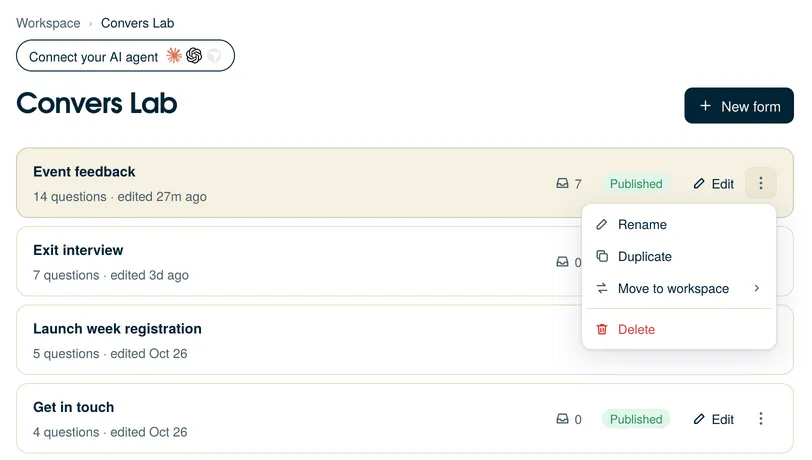
From your workspace
- Open your workspace from the sidebar.
- Click ⋮ next to the form and pick Rename.
- Type the new name and click Save.
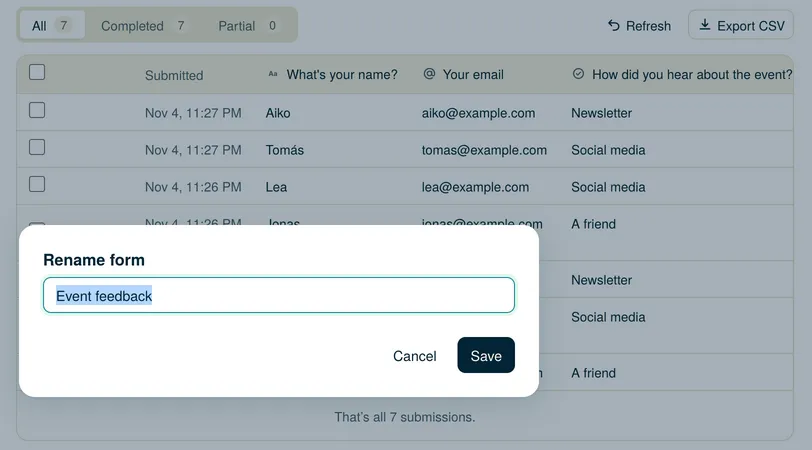
The same ⋮ menu sits next to the form’s name on its own page, above the Insights and Submissions tabs.
In the editor
Click the title at the top of the form and type. The new name shows in the breadcrumb and in your workspace as soon as Faddy saves.
Respondents see the title on the form and in the preview card when you share its link. If your form is published, click Publish changes to put the new title live.