

Popup forms
A popup form opens over your website when someone clicks a button or a link, and closes again when they’re done. Visitors never leave your page.
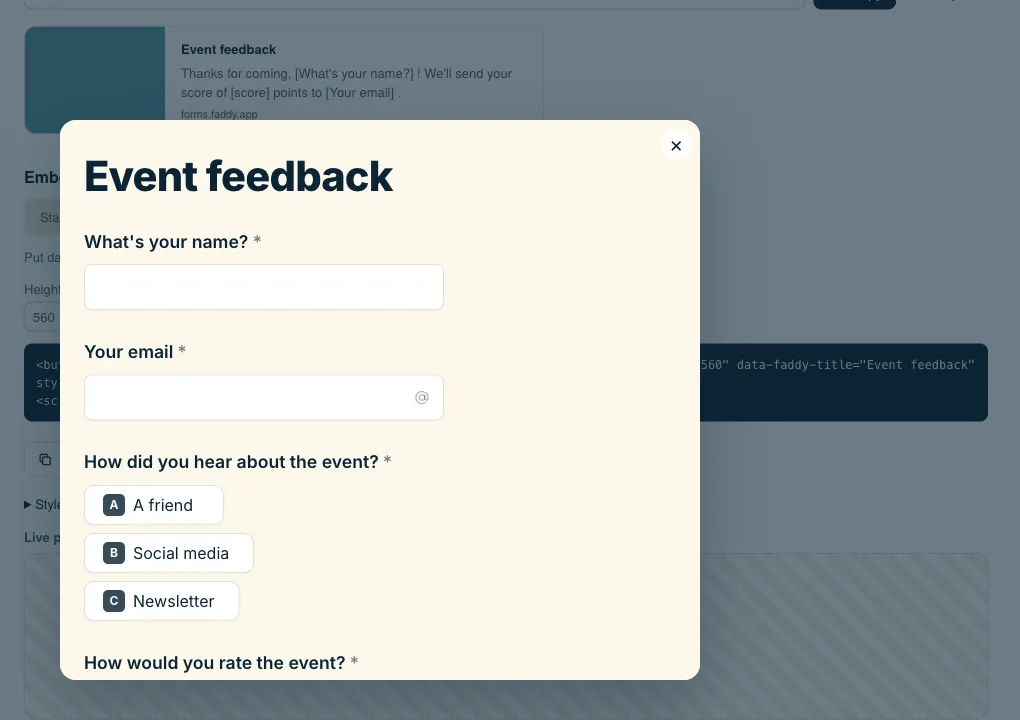
Add a popup to your site
- Publish your form, then open its Share tab.
- Under Embed, choose Popup.
- Set the popup’s Height and the Button text.
- Click Copy code and paste it into your site where the button should go.
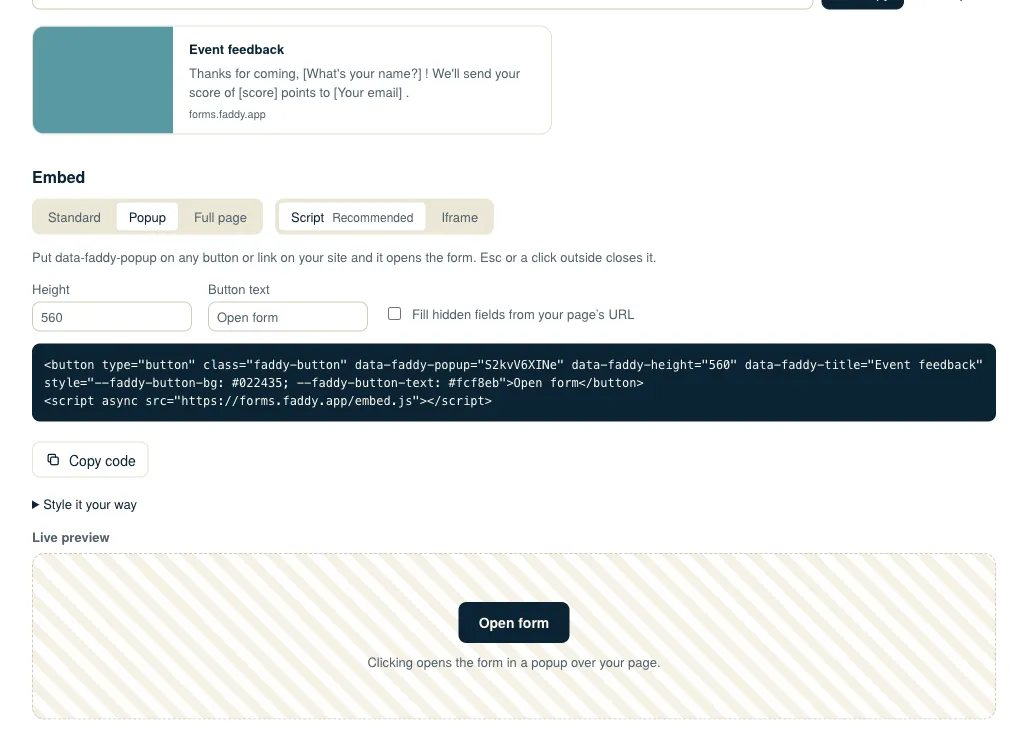
The code adds a button that opens the form. To open it from a button or link you already have, add data-faddy-popup with your form’s ID to it, as in the copied code, and keep the script tag on the page. People close the popup with Esc or by clicking outside it.
Options
- Script (recommended) or Iframe: use the iframe code if your site doesn’t allow scripts.
- Fill hidden fields from your page’s URL: passes your page’s link values into the form’s hidden fields.
- Style it your way: change how the button looks to match your site.
Check Live preview at the bottom of the tab to try the popup before you add it.