

Create a multi-page form
Long forms feel shorter in steps. A page break splits your form into pages: people answer a few questions, click Next, and carry on.
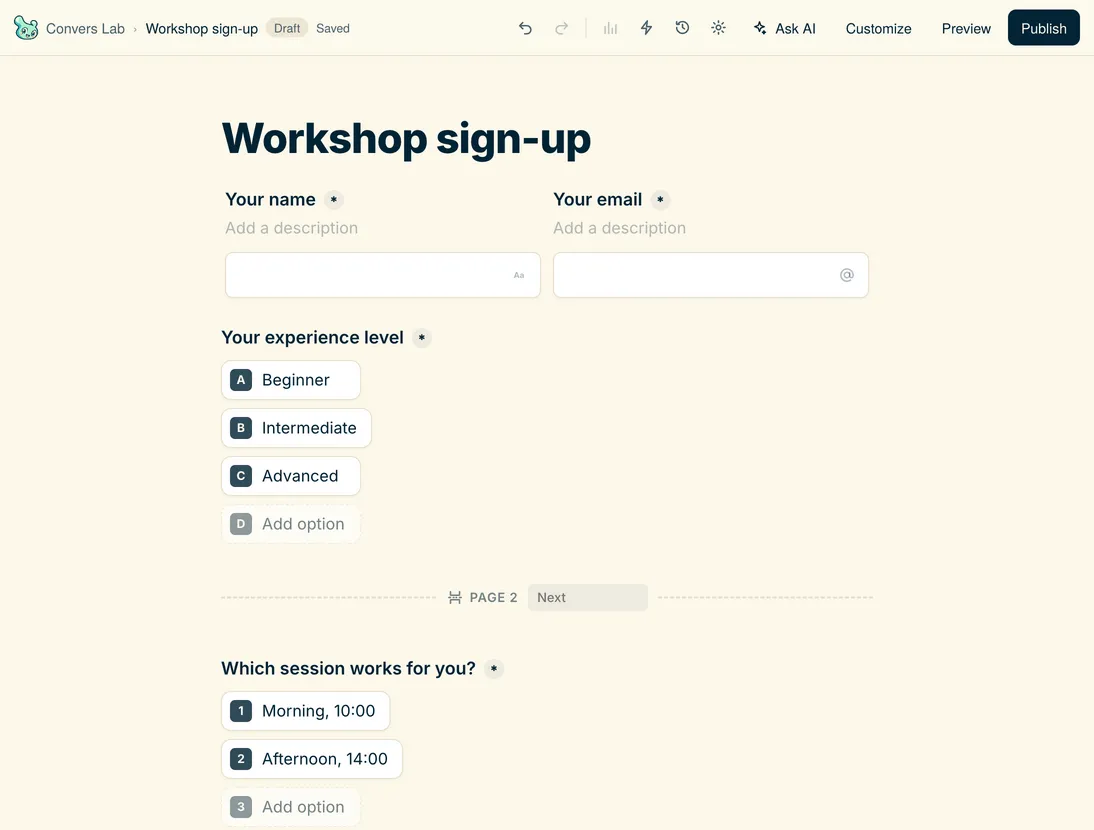
Add a page
- Click where the new page should start and type
/page. - Pick New page. A dashed line marks the break, with the page number.
- The label beside it is the button on the page before. It says Next; click it to write your own, such as “Continue” or “Book my seat”.
The last page ends with your Submit button, and a thank-you page can come after it.
Make it flow
- Turn on the progress bar so people see how far along they are.
- Turn on Auto-jump to next page in Form settings: on a page with a single choice, rating or scale question, people move on as soon as they answer.
- Use conditional logic to Jump to page and skip the pages that don’t apply.
Want one question per screen? Pick the Conversational form style in Customize instead of adding a page between every question.