

Prevent duplicate submissions
For votes, sign-ups and giveaways, you want one response per person. Prevent duplicate submissions stops people from sending your form twice.
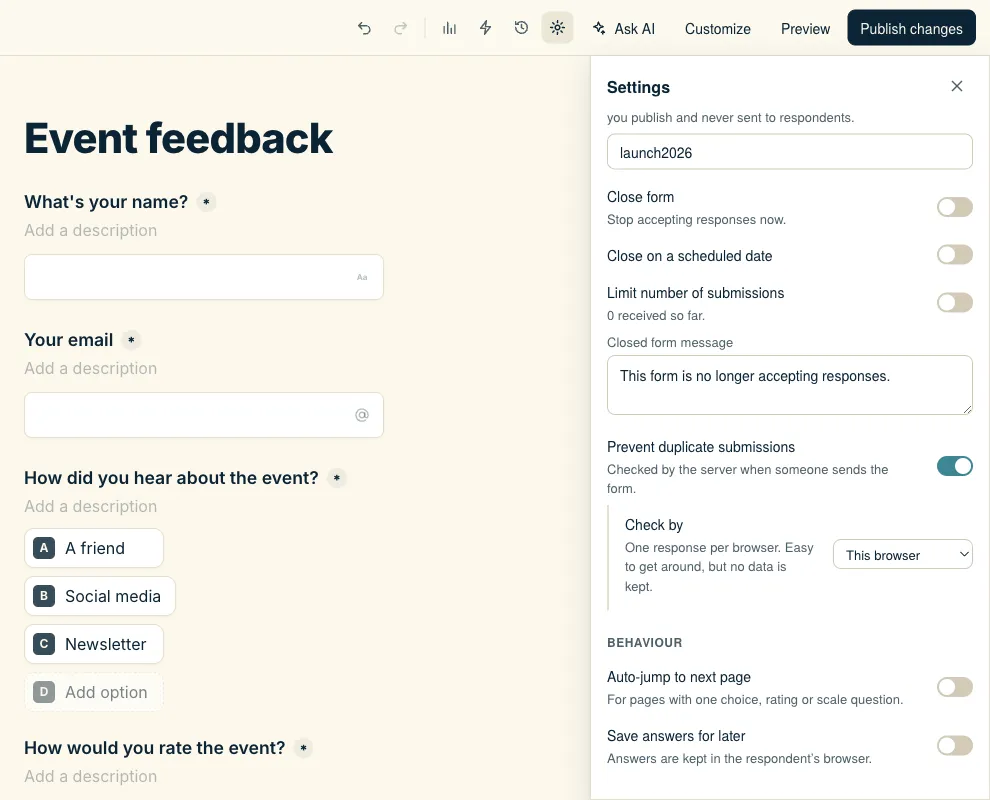
Turn it on
- In the editor, click the settings icon in the top bar.
- Under Access, turn on Prevent duplicate submissions.
- Under Check by, choose how Faddy spots a repeat.
Ways to check
- This browser: one response per browser. Easy to get around, but no data is kept.
- An answer: one response per value of a question you choose, such as an email address.
- Network (IP address): one response per internet connection. People in one office or one home share a connection, so use it with care.
The check runs on Faddy’s server when someone sends the form, so it can’t be skipped by editing the page.
To also make sure an email address is real, turn on Verify email in the email question’s settings.