

Name your questions
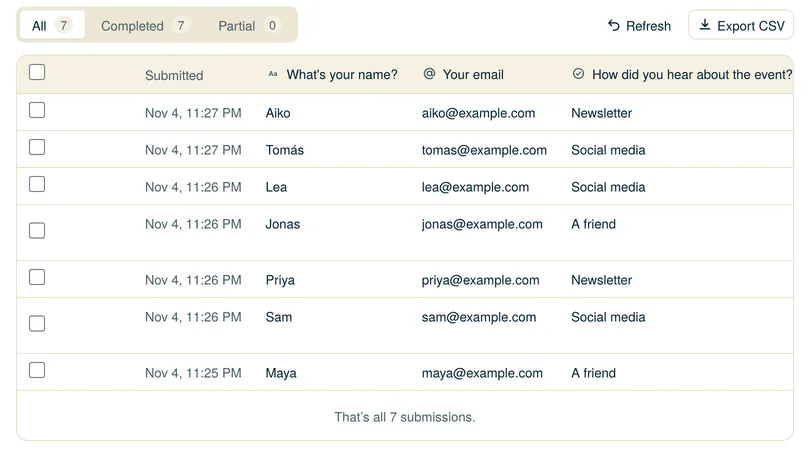
In Faddy, a question’s title is also its name. The title you write in the editor is the column heading in Submissions, and the label you pick from when you add logic or mention an answer.
Where titles show up
- Submissions: each question is a column, headed by its title.
- Conditional logic: the list of fields to check is a list of titles.
- Mentions: when you type @, you pick a question by its title.
Hidden fields and calculated fields are named differently: by the key you give them, such as source or score.
Tips
- Make each title different. Two questions both called “Name” are hard to tell apart in your results. “Your name” and “Your manager’s name” aren’t.
- Keep titles short. Put any longer explanation in the description under the title (press Enter after the title to add one).
- Name it before you build on it. You can rename a question at any time, but a clear title from the start makes logic and mentions easier to set up.