

Ranking question
A ranking question asks people to put a list in order, from the option they like most to the one they like least. Use it to find out which talks, features or dates matter most.
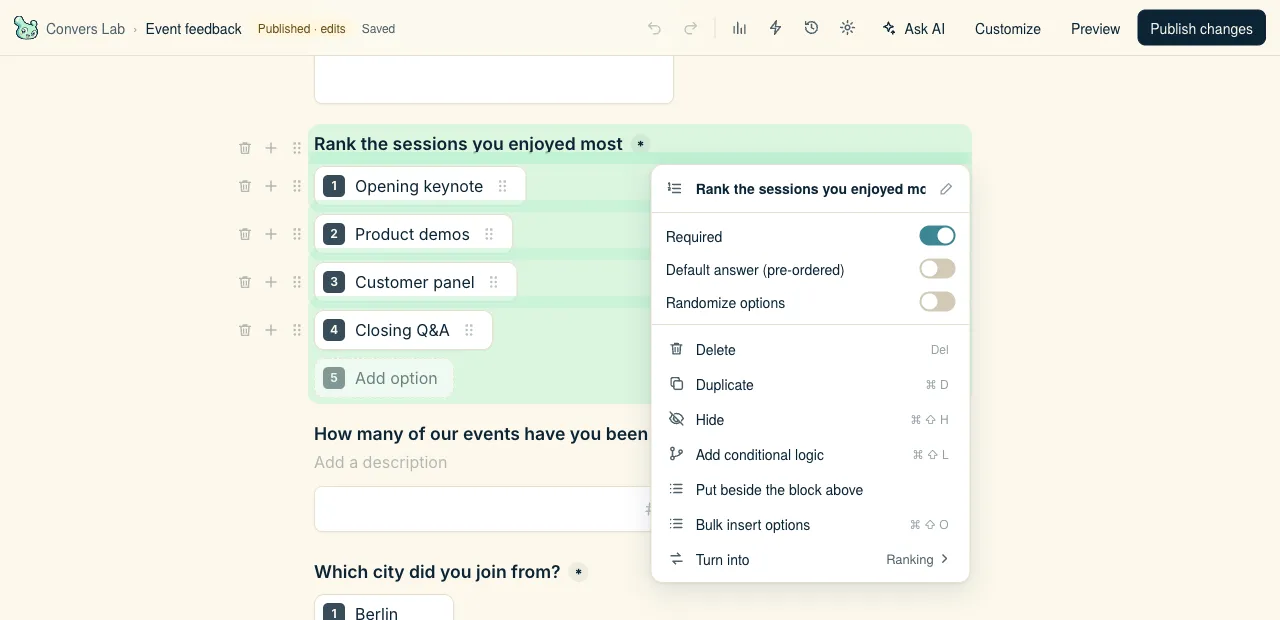
Add a ranking question
Type /ranking and press Enter. Write the question, then type each option and press Enter to add the next one. To add many options at once, paste them as a list with Bulk insert options (⌘ ⇧ O).
Respondents move each option up or down until the list is in their order.
Settings
- Required: people can’t submit without ranking the list.
- Default answer (pre-ordered): the list starts in the order you set, and people only move what they disagree with.
- Randomize options: every respondent sees the options in a different order, so the first option doesn’t get an unfair head start.