

Multi-select
A multi-select lets people pick several options from one list, shown as colored tags. Use it for interests, topics or anything where more than one answer can be true.
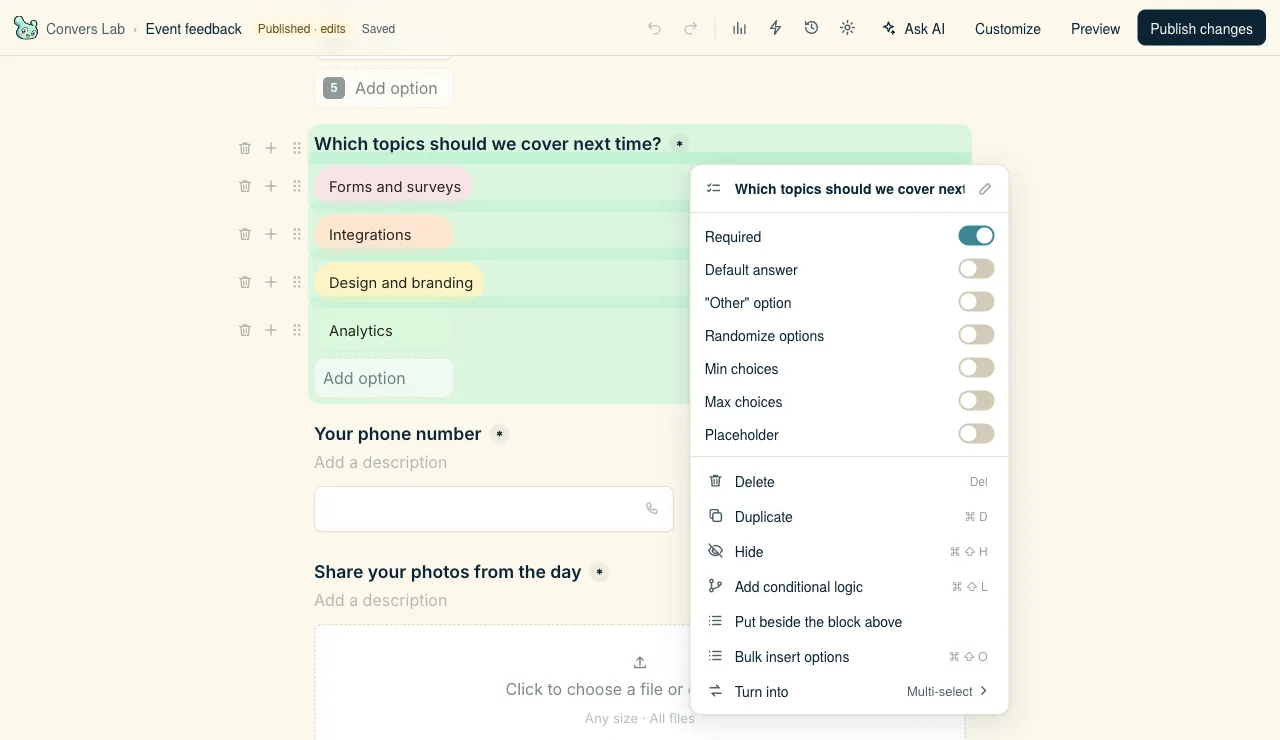
Add a multi-select
Type /multi and press Enter, write the question and add your options, one per line. Each option gets its own color.
Settings
- Required and Default answer
- “Other” option: people can add an answer that isn’t on your list.
- Randomize options: shuffles the options for each respondent.
- Min choices and Max choices: for example, ask for at least one and at most three topics.
- Placeholder: the text shown before anything is picked.
If you’d rather show each option as a checkbox on the page, use Checkboxes from the block menu instead.