

Keyboard shortcuts
Faddy’s editor works like a doc, so most of a form can be built without touching the mouse. Here’s every shortcut, and where to find it in the console.
Writing your form
- / opens the block menu. Keep typing to filter it, then press Enter to add the block.
- @ mentions an earlier answer, see Mention answers.
- Enter in a question’s title adds a description. Press it again to start the next block.
- Enter after an option adds the next one. Press it on an empty option to leave the list and start a new block.
- Enter on a new, empty form starts it from scratch.
- ⌘ Z undoes your last change, ⌘ ⇧ Z redoes it.
Blocks
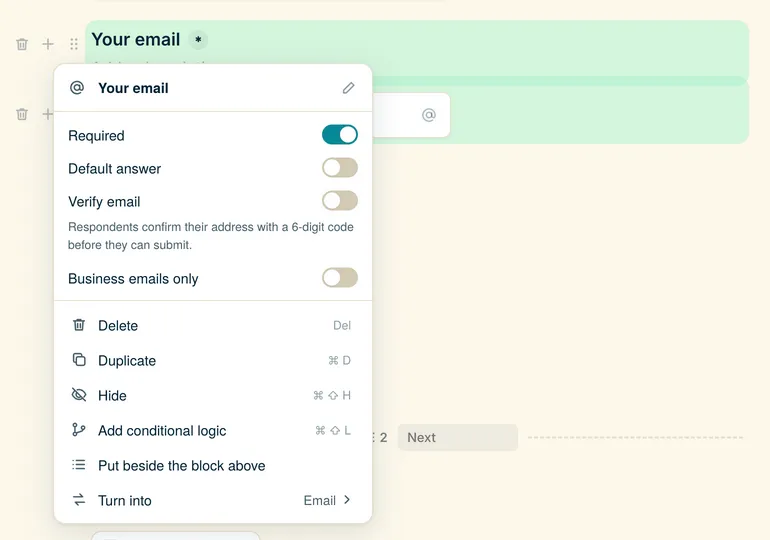
Click the ⋮⋮ handle next to a block to open its settings. The menu shows these shortcuts too:
- Del deletes the block.
- ⌘ D duplicates it.
- ⌘ ⇧ H hides it.
- ⌘ ⇧ L adds conditional logic.
- ⌘ ⇧ O opens Bulk insert options, on multiple choice, dropdown and multi-select questions.
Around the console
- ⌘ K opens Search, to jump to any form.
- Esc closes an open menu or dialog.