

Dropdown
A dropdown keeps a long list of options out of the way until someone opens it. It’s the right choice for countries, cities, departments or anything else with more than a handful of answers.
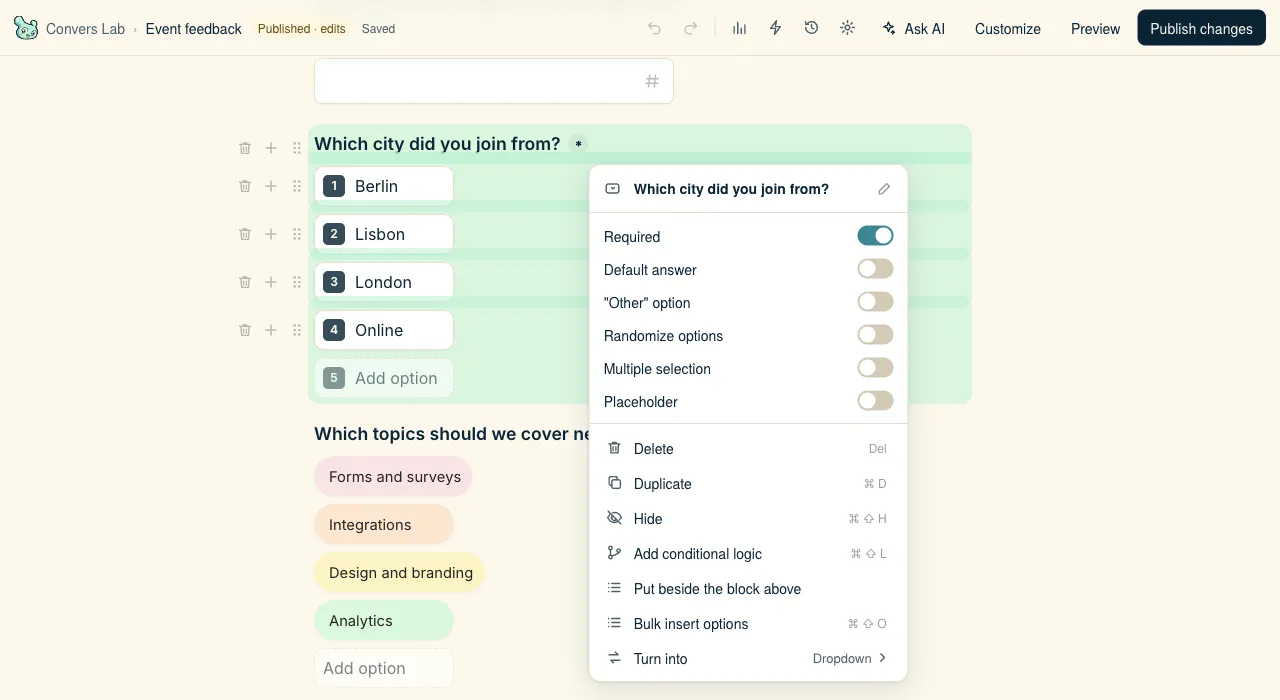
Add a dropdown
Type /dropdown and press Enter. Write the question, then type each option and press Enter for the next one. Got a long list somewhere else? Copy it and use Bulk insert options (⌘ ⇧ O) to paste one option per line.
Settings
- Required and Default answer
- “Other” option: adds a last option where people type their own answer.
- Randomize options: shuffles the list for each respondent.
- Multiple selection: lets people pick more than one option. For a list of tags, a multi-select shows the choices more clearly.
- Placeholder: the text shown before anything is picked, such as “Choose a city”.
Want every option visible on the page instead? Turn the question into a multiple choice with Turn into.