

File upload
A file upload question lets people attach files to their response: photos, CVs, receipts or anything else you need from them.
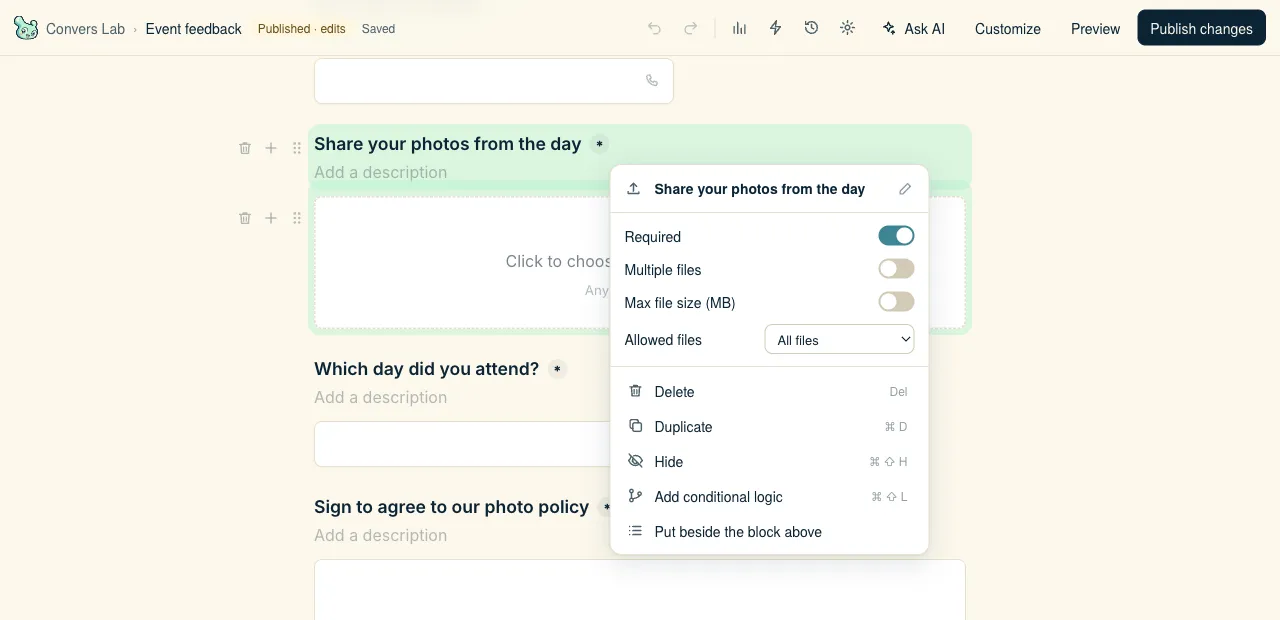
Add a file upload
Type /file and press Enter, then write your question. Respondents click the box to choose a file, or drag one onto it.
Settings
- Required: people can’t submit without a file.
- Multiple files: allows more than one file.
- Max file size (MB): the largest file people can send.
- Allowed files: any file, or only Images, Documents (PDF, Word, text), Audio or Video.
The box tells respondents what you accept, such as “Any size · All files”, so they know before they pick a file. Uploaded files are listed with each response in Submissions.