

Password protect forms
A password keeps your form private: people need it before they can see any questions. Use it for internal surveys, member-only sign-ups or anything you share with a small group.
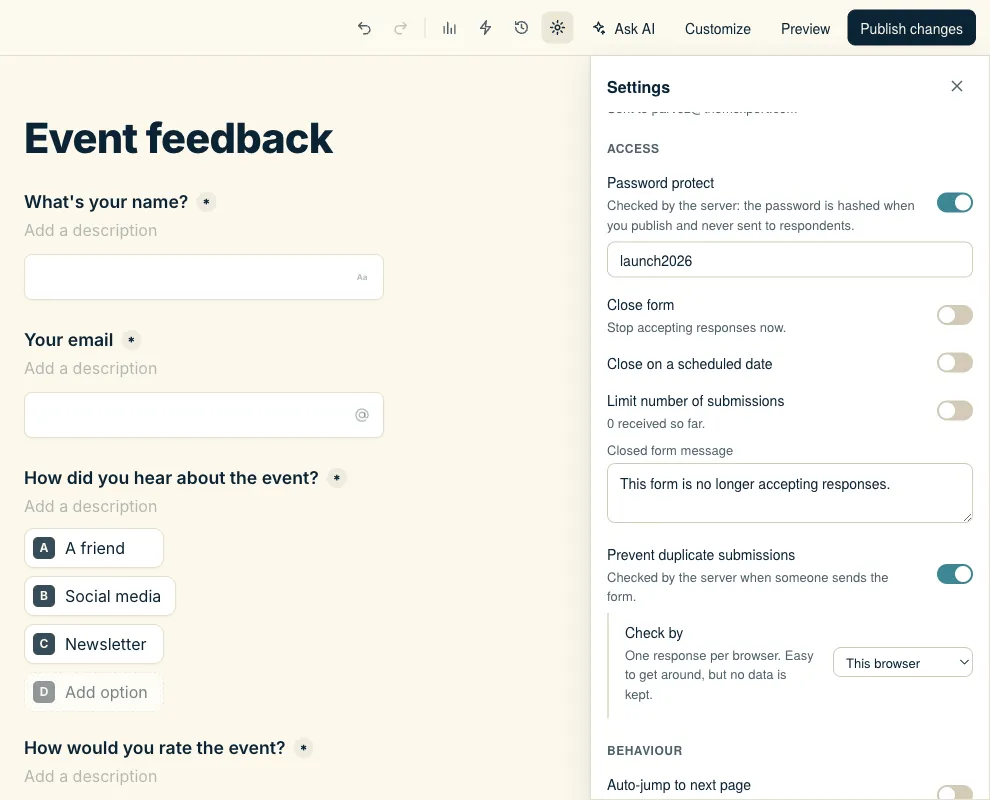
Add a password
- In the editor, click the settings icon in the top bar.
- Under Access, turn on Password protect.
- Type the password.
- Publish your form.
Share the password with your respondents separately from the link. Faddy refuses to publish a protected form without a password.
How it’s kept safe
The password is checked by Faddy’s server. It’s hashed when you publish and never sent to respondents’ browsers, so it can’t be found by looking at the page.
To open a form to a group for a limited time, combine the password with Close on a scheduled date in the same panel.