

Conditional logic
Conditional logic makes your form react to each answer. Show a follow-up question only to people who were unhappy, skip a page that doesn’t apply, add points to a score or send people to a different page at the end.
Add logic
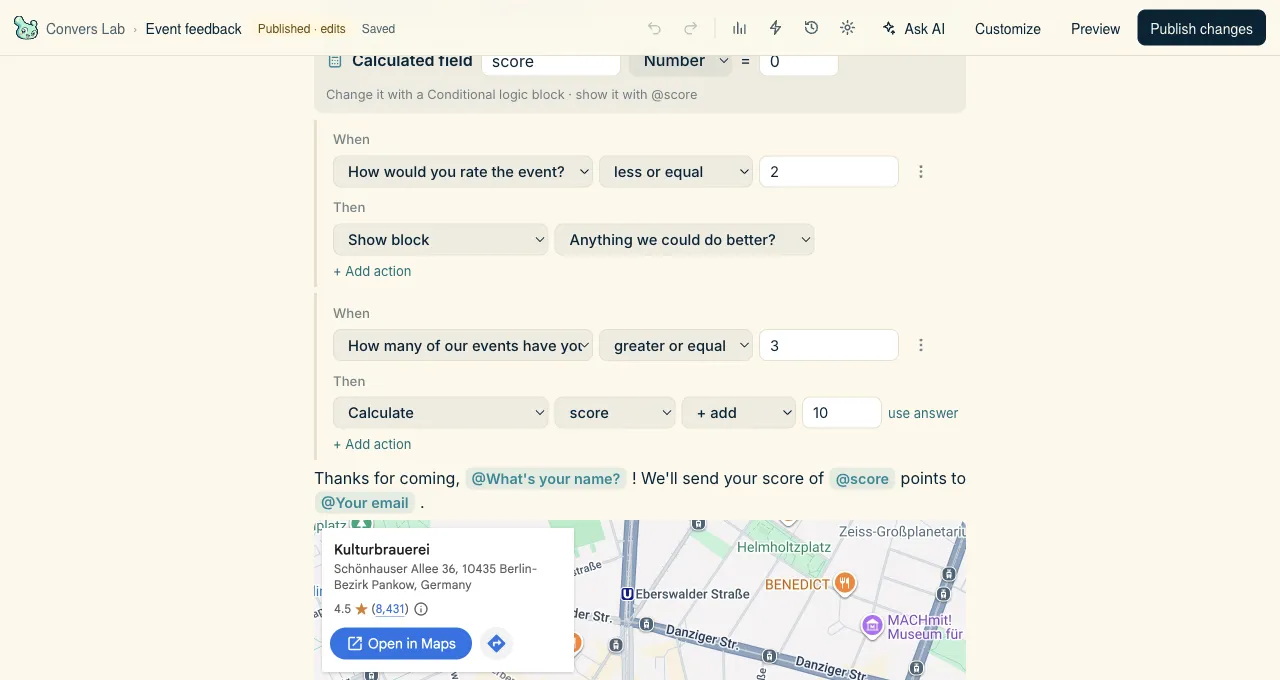
Type /conditional and press Enter, or choose Add conditional logic (⌘ ⇧ L) from a question’s settings. A logic block has two parts.
When is the condition. Pick a question, a hidden field or a calculated field, then how to compare it:
- equals or does not equal
- greater than, less than, greater or equal, less or equal
- is any of or is not any of
- is empty or is not empty
Then is what happens when the condition is true:
- Show block or Hide block
- Jump to page
- Require answer or Make optional
- Calculate, to change a calculated field
- Hide Next/Submit button, to stop people who don’t qualify
- Redirect on completion, to send people to a different link when they submit
Click + Add action to do more than one thing with the same condition.
Where to put it
Respondents never see logic blocks. Put each one near the question it depends on, so the form is easy to follow when you come back to it.
Test your logic
Click Preview and fill in the form as a respondent would. The preview runs your logic, so you can check every path before you publish.