

Randomize answer options
People tend to pick the first option they see. Randomizing shuffles a question’s options for each respondent, so no answer gets an edge from its place in the list. It’s useful for surveys, polls and quizzes.
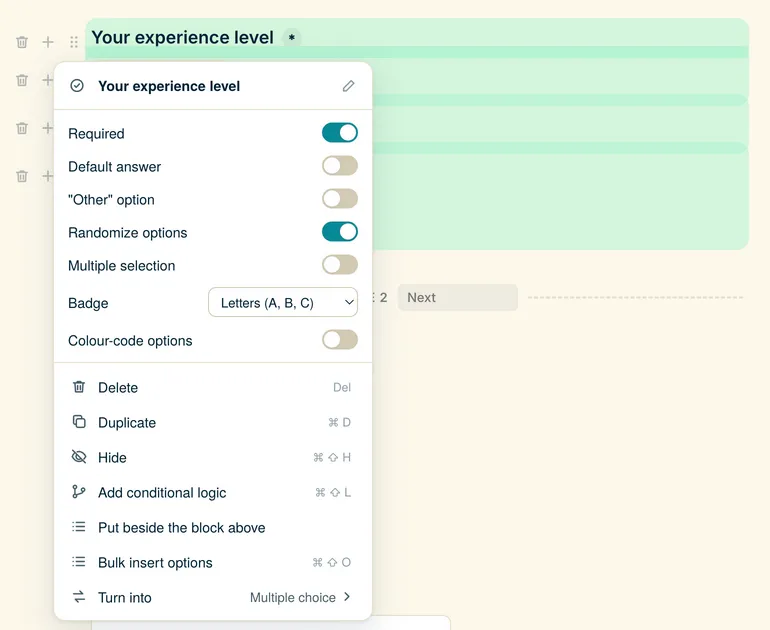
Turn it on
- Hover over a multiple choice, dropdown or multi-select question and click the ⋮⋮ handle on its left.
- Turn on Randomize options.
In the editor your options keep the order you wrote them in. Click Preview to see them shuffled: the order changes each time the form opens.
Options with a natural order, such as “Never, Sometimes, Often”, read best left as they are. Randomize lists where order doesn’t matter.