

Custom CSS
When the Customize panel doesn’t go far enough, add your own CSS. It applies only inside that form, so it can’t affect your other forms or the page a form is embedded on.
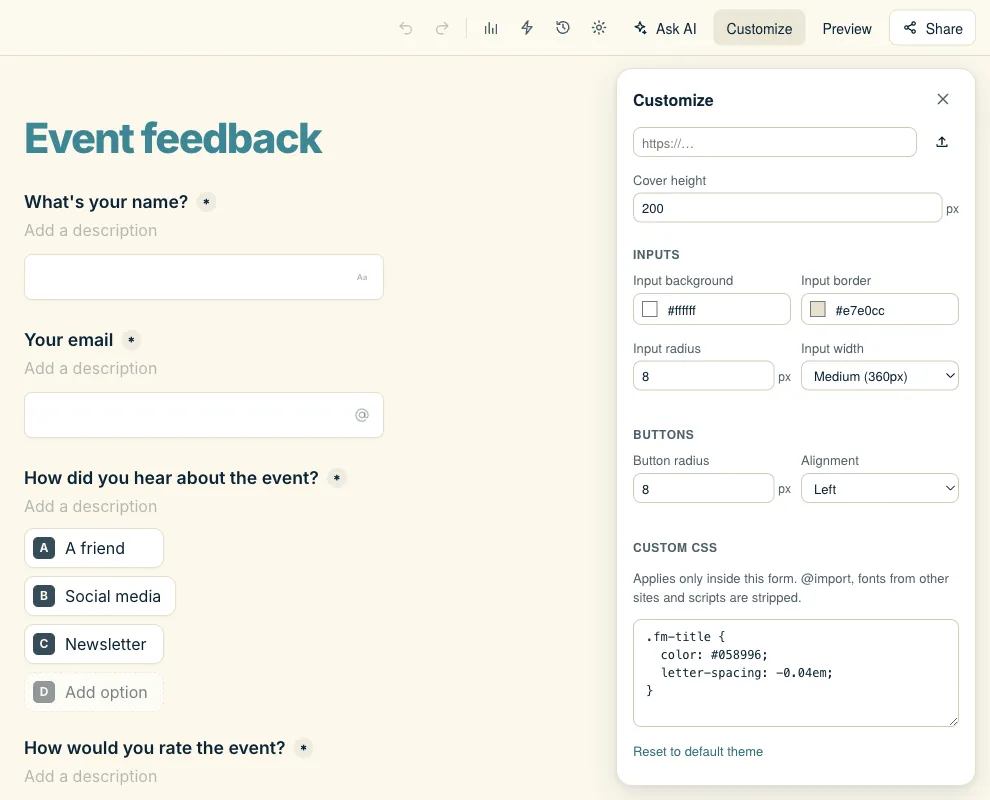
Add CSS
Click Customize at the top right of the editor and scroll to Custom CSS at the bottom of the panel. Type your CSS, and the form updates as you type.
.fm-title {
  color: #058996;
  letter-spacing: -0.04em;
}
To find the class of something you want to change, open Preview, right-click it and choose Inspect.
What’s removed
For safety, Faddy strips @import, fonts from other sites and scripts. To change the font, pick one in the Customize panel instead.
Your CSS is saved with the form and goes live the next time you publish. Which plans include custom CSS is listed on the pricing page.