

Calculated fields
A calculated field is a value Faddy works out while someone fills in your form: a quiz score, a price, a total. It’s saved with each response, and you can show it to respondents along the way.
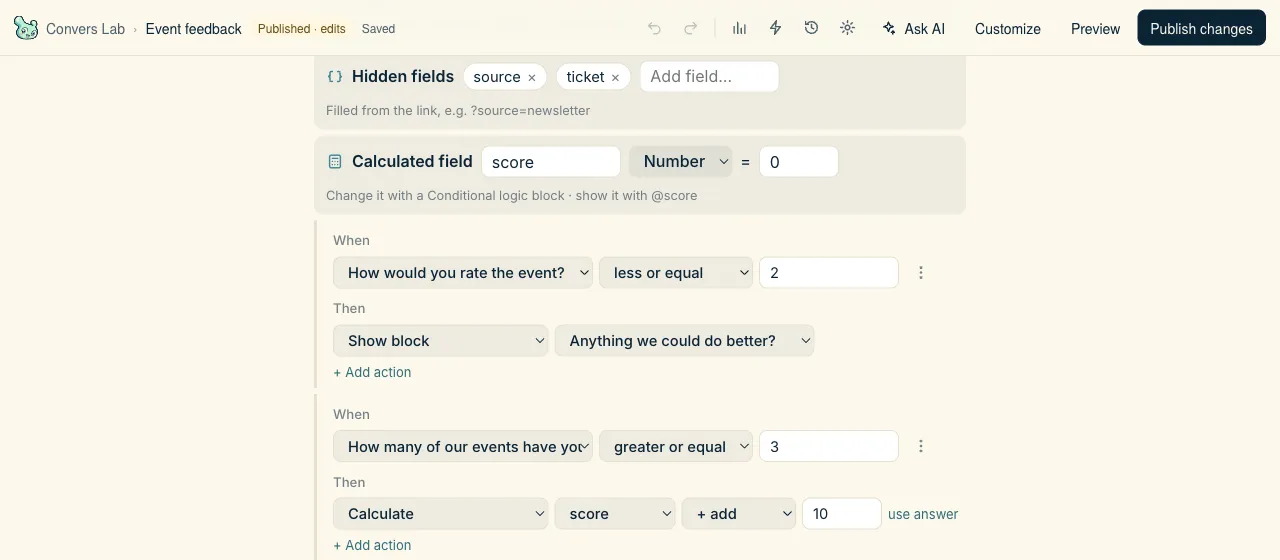
Add a calculated field
Type /calculated and press Enter. Give the field a name, choose Number or Text, and set the value it starts with.
Change it with logic
A calculated field changes through conditional logic. Add a logic block, pick a condition, then choose Calculate as the action:
- add, subtract, multiply or divide by a number
- set to a new value
- formula, to write your own calculation
Click use answer to calculate with what the respondent typed, such as a number of tickets times the price of one.
Show the result
Type @ in any text, such as a thank-you page, and pick the field to show its value: “You scored @score points.”