

Account settings
Your account settings live under your name at the bottom of the sidebar. Click it and pick Profile settings.
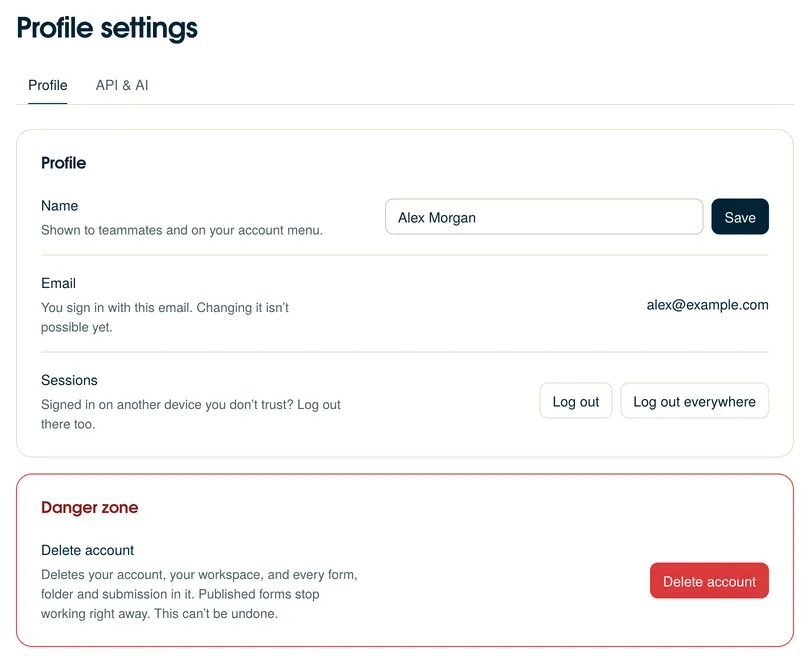
Profile
- Name: shown to your teammates and on your account menu. Change it and click Save.
- Email: the address you sign in with. It can’t be changed yet.
- Sessions: Log out signs you out here. Log out everywhere signs you out on every device, for when you’ve signed in somewhere you don’t trust.
You can also log out from the account menu itself.
API & AI
The API & AI tab is for connecting Faddy to your own tools:
- API keys let your own app or script use the Faddy API. A key acts as you, with your access.
- AI agents & MCP connects an AI agent, such as Claude Code, Codex or Cursor, so you can build and edit forms by asking it. Agents can never delete forms or responses.
- Connected apps lists the AI apps you’ve connected. Disconnect one to cut its access.
Delete your account
Delete account, in the Danger zone, deletes your account, your workspace and every form and submission in it. Published forms stop working right away, and this can’t be undone. To remove just one form, delete it instead.